
AI coding assistants have gone from novelty to daily infrastructure faster than most teams could build governance around them. The result? Developers who assume that plugging in an AI coding tool is low-risk, only to discover months later that their codebase is brittle, undocumented, and full of logic no one can explain. Understanding what is controlled AI coding experimentation is the starting point for avoiding that outcome. This article breaks down the frameworks, autonomy levels, and practical workflows that separate disciplined AI-assisted development from the kind that quietly accumulates technical debt.
Table of Contents
- Key takeaways
- What is controlled AI coding experimentation
- Governance frameworks and risk management
- Levels of AI agent autonomy
- Practical workflows for controlled AI coding
- My honest take on controlled AI experimentation
- How Descry protects your AI coding workflow
- FAQ
Key takeaways
| Point | Details |
|---|---|
| Controlled AI coding prioritizes longevity | AI code optimized for speed degrades; controlled methods keep codebases maintainable past the six-month mark. |
| CCR loop is the core framework | The Code-Check-Refactor cycle applied at sprint cadence prevents drift and enforces human accountability. |
| Autonomy level determines risk | Matching the right AI autonomy level to task complexity is the single most impactful governance decision. |
| Context files prevent AI guesswork | Project-specific instruction files encode your architecture rules so AI agents stop making assumptions. |
| Advisory AI beats hard blocks | Rules-first, advisory AI systems preserve developer flow while maintaining human control over final decisions. |
What is controlled AI coding experimentation
Controlled AI coding experimentation is the practice of using AI coding tools within a defined, auditable, and human-supervised workflow. It is not about limiting what AI can do. It is about knowing what AI is doing, why it made a particular suggestion, and whether that suggestion fits your project's actual requirements.
The contrast with unregulated AI coding is stark. Unregulated use prioritizes short-term speed: you prompt, the AI generates, you ship. Controlled AI coding optimizes for long-term maintainability, and the difference becomes visible around the six-month mark when the controlled codebase is still extendable and the unregulated one has become a liability.
The foundational practices that define controlled AI coding include:
- Modular review: AI-generated code is reviewed in small, logical units rather than accepted as large blocks. This makes it easier to catch incorrect assumptions before they compound.
- Documented intent: Developers record why a particular AI suggestion was accepted, modified, or rejected. This creates a human-readable audit trail that survives team turnover.
- Scheduled refactoring: AI-generated code is revisited on a fixed cadence, not just when something breaks. This prevents the gradual accumulation of patterns that no one on the team fully understands.
- Human validation as a non-negotiable step: AI is treated as a draft collaborator. Its output is a starting point, not a finished product.
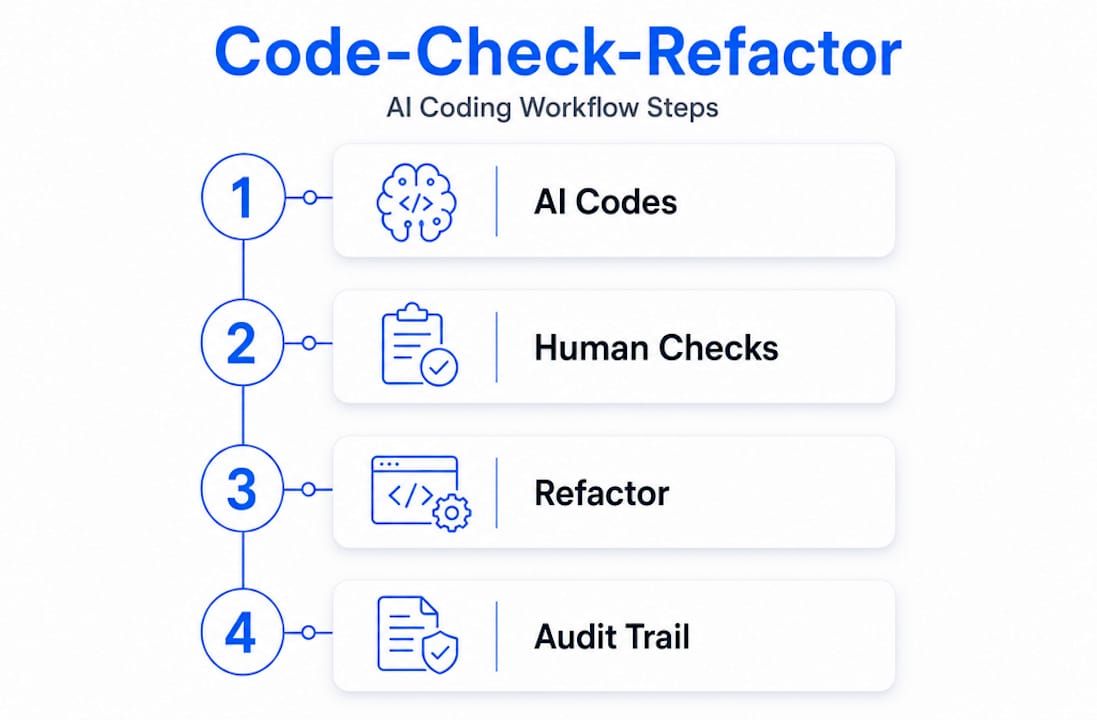
The framework that ties these practices together is the Code-Check-Refactor loop, or CCR. Applied at sprint cadence, the CCR loop requires that every piece of AI-generated code is checked for correctness and explainability before it moves forward, and then refactored if it cannot be explained without referencing the AI's original output. That last condition matters. If your team cannot explain a function without pulling up the AI chat log, the code is not ready to merge.
Pro Tip: When onboarding AI tools to an existing project, run the CCR loop on a single module first. The friction you encounter will reveal exactly where your team needs stronger documentation and review habits before scaling up.
Governance frameworks and risk management
Controlled AI development does not happen through good intentions alone. It requires structural guardrails that make accountability automatic rather than optional.

The most mature governance setups use sandboxed execution environments, network policies that restrict what an AI agent can access during a session, and cryptographic audit trails. Systems like CodeBot record every tool call, modification, and command execution using SHA-256 hash-chained audit logs. These logs are tamper-evident, which means you can trace exactly what the AI did, in what order, and under what conditions. That level of traceability is not just useful for debugging. It is the foundation of organizational trust in AI-assisted workflows.
Here is how governance approaches compare across two common implementation styles:
| Approach | How it works | Best for |
|---|---|---|
| Advisory AI layer | AI flags risks and annotates suggestions; humans retain all merge and deploy authority | Teams building trust in AI tooling gradually |
| Hard-blocking rules | AI cannot proceed past defined checkpoints without human approval | High-risk codebases or regulated environments |
The advisory model is generally more effective for day-to-day development. Rules-first AI advisory systems annotate pull requests with potential risks but leave merge control entirely with human leads. This preserves developer flow while still surfacing the information needed to make good decisions.
AI governance works best when it focuses on alignment and transparency rather than restriction. Hard blocks that interrupt workflow create pressure to route around the governance system entirely. Advisory approaches, by contrast, make the AI's reasoning visible without creating friction that teams learn to bypass.
Pro Tip: Build your audit trail from day one, even if your team is small. Retrofitting traceability into an AI-assisted codebase after the fact is significantly harder than embedding it from the start.
Security deserves its own mention here. AI-generated code must be treated with the same security rigor as human-written code: mandatory review, automated scanning, and version-controlled workflows. The assumption that AI output is inherently safer because it is generated rather than typed by a human is one of the more dangerous misconceptions in this space.
Levels of AI agent autonomy
Not all AI coding tools operate at the same level of independence. Understanding the spectrum is critical because the right governance approach depends entirely on where your tooling sits.
- Level 1: Autocomplete. The AI completes a line or block based on immediate context. Human writes the logic; AI fills in syntax. Risk is minimal because the human is always steering.
- Level 2: Prompt-driven generation. The AI generates a function or module based on a natural language prompt. Human reviews the output before use. This level suits complex or ambiguous tasks where context matters deeply.
- Level 3: Goal-based agents. The AI receives a defined objective and executes a sequence of steps to achieve it. Tasks with clear "done" criteria work well here. Ambiguous tasks at this level are where hallucinations and task drift become real risks.
- Level 4: Supervised multi-step agents. The AI plans and executes across multiple files or services, with human checkpoints at defined intervals. Requires explicit trust boundaries and escalation paths.
- Level 5: Orchestrated agent systems. Multiple AI agents coordinate to complete large-scale tasks. Higher autonomy levels do not automatically produce better outcomes. These systems require continuous human oversight and are appropriate only for specialized, well-defined use cases.
The practical takeaway is that most development teams should be operating primarily at Levels 2 and 3, with Level 4 reserved for well-understood, repeatable workflows. The temptation to jump to Level 5 because the technology supports it is real. Resist it until your governance infrastructure can actually handle the complexity.
A common pitfall at Level 3 and above is assuming the AI understands project context the same way a senior developer does. It does not. That gap is exactly why context files and explicit instruction documents matter so much.
Practical workflows for controlled AI coding
Knowing the theory is one thing. Applying it in a real project requires specific practices that you can implement today.
The most underused practice in AI experimentation techniques is writing an explicit context file for your project. Tools like Claude Code support a file called "CLAUDE.md` that encodes your project's architecture rules, naming conventions, testing requirements, and off-limits patterns. Building these instructions from your own experience outperforms using AI-generated templates. The act of writing the file forces you to externalize tacit knowledge your team has accumulated, which benefits the whole team regardless of AI usage.
Other practices worth building into your workflow:
- Use plan mode before execution. Most advanced AI coding tools support a mode where the AI describes what it plans to do before doing it. Reviewing a plan before execution is faster than fixing incorrect code after generation. Make this a required step for any task above Level 2.
- Set pre-execution hooks. Configure hooks that run checks before the AI agent executes any file modification. Restrict file access to relevant directories only. An agent working on your authentication module has no reason to touch your payment processing files.
- Run
git diffbefore every commit. This sounds obvious, but many developers skip it when working with AI because the output "looks right." The diff review is your last line of defense before AI-generated changes enter your version history. - Treat PR annotations as required reading. If your team uses an advisory AI layer in pull requests, make it a team norm to read every annotation before merging, even when you disagree with the suggestion. The annotations surface assumptions the AI made that may reveal gaps in your context file.
Pro Tip: Restrict your AI agent's file access by default and expand it deliberately. Starting with broad access and trying to narrow it later is far harder than starting narrow and opening up as needed.
My honest take on controlled AI experimentation
I've watched teams adopt AI coding tools with genuine enthusiasm and then quietly abandon them six months later because the codebase became unmanageable. In almost every case, the problem was not the AI. It was the absence of a workflow that treated AI output as something requiring scrutiny.
What I've learned is that controlled AI coding is primarily a mindset shift. The developers who get the most out of AI tools are not the ones who give the AI the most autonomy. They are the ones who stay engaged with every output, ask why the AI made a particular choice, and refuse to merge code they cannot explain to a colleague. That discipline is harder than it sounds when you are under deadline pressure and the AI just handed you 200 lines of working code.
More autonomy is not always better. I've seen Level 3 and 4 agents produce elegant-looking code that was architecturally wrong for the project because no one wrote a proper context file. The fragile code problem is real, and it compounds quietly. By the time you notice it, you are six months in and the original developer who accepted the AI output has moved on.
My advice: start with the CCR loop, write your context file before you write a single prompt, and treat every AI suggestion as a draft from a very fast junior developer who has not read your architecture docs. That framing keeps you honest.
— Maciej
How Descry protects your AI coding workflow
Controlled AI development requires more than good intentions. It requires tooling that enforces governance at the execution layer, not just at the review stage.
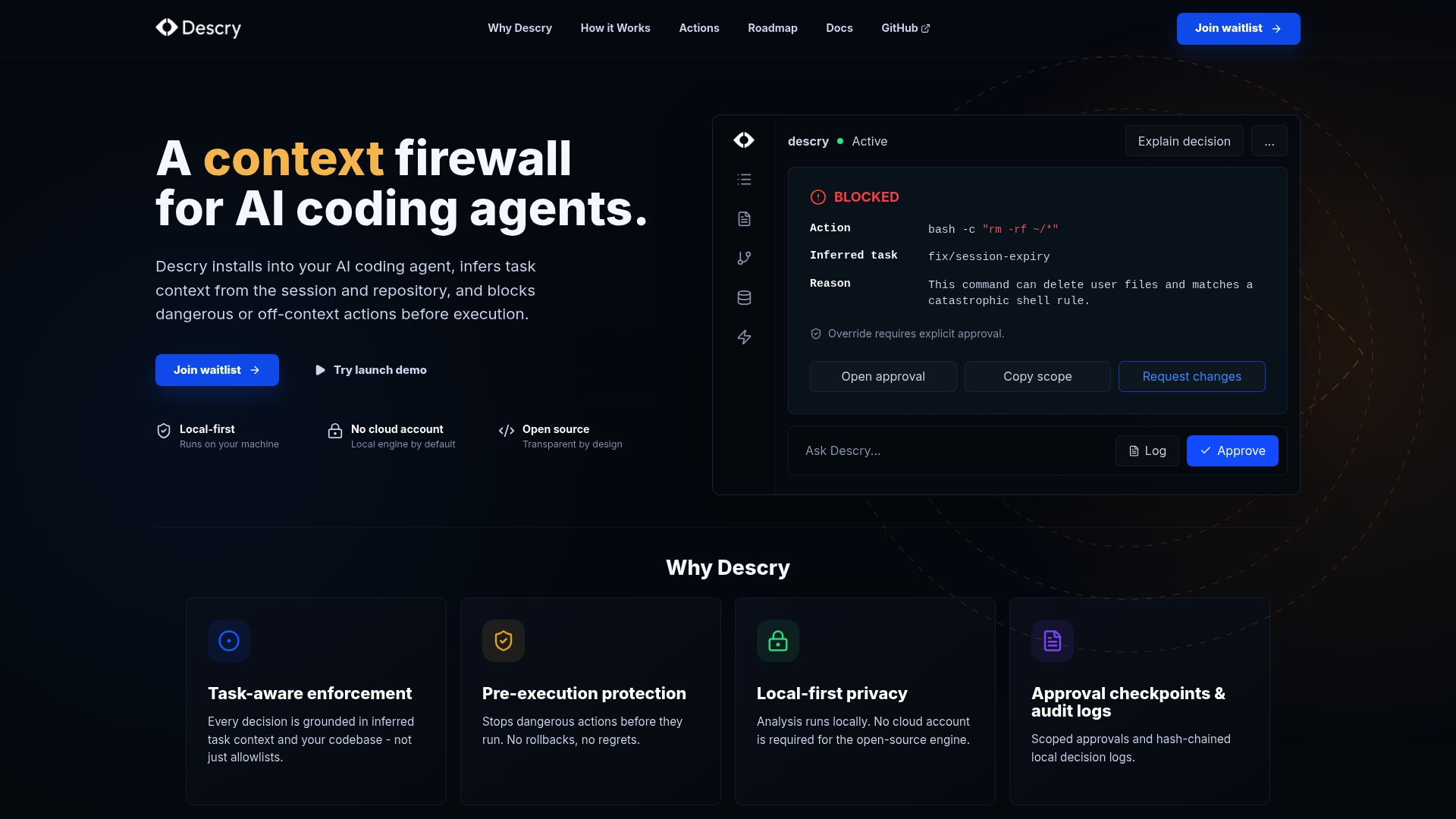
Descry is built specifically for this problem. It operates as a context firewall for AI coding agents, running locally on your machine without requiring cloud accounts or external data transmission. Before any AI agent executes an action, Descry evaluates it against the inferred context of your current task, codebase state, and recent activity. Dangerous commands get flagged before they run, not after they have already modified your files.
Descry's approval checkpoints and audit logs give you the traceability that governance frameworks require, without adding friction that slows your team down. If you are serious about experimenting with AI coding safely, Descry gives you the infrastructure to do it without gambling your codebase on every session.
FAQ
What is controlled AI coding experimentation?
Controlled AI coding experimentation is the practice of using AI coding tools within a structured, human-supervised workflow that includes review checkpoints, documented intent, and scheduled refactoring. It prioritizes long-term maintainability over short-term speed.
How does controlled AI coding differ from regular AI coding?
Regular AI-assisted coding focuses on generating output quickly with minimal oversight. Controlled AI coding applies frameworks like the Code-Check-Refactor loop to keep AI output auditable, explainable, and aligned with project architecture.
What autonomy level is right for most development teams?
Most teams should operate primarily at Levels 2 and 3, where humans review AI output before it executes or merges. Level 4 and 5 autonomy requires mature governance infrastructure and is best reserved for well-defined, repeatable workflows.
Why do context files matter in AI coding?
Context files like CLAUDE.md encode your project's rules, conventions, and constraints so AI agents stop making architectural assumptions. Building these from developer experience produces better results than using AI-generated templates.
What is the biggest risk of uncontrolled AI coding?
The biggest risk is fragile, undocumented code that accumulates silently. Teams often do not notice the problem until the codebase becomes difficult to extend or debug, typically around the six-month mark after adoption.