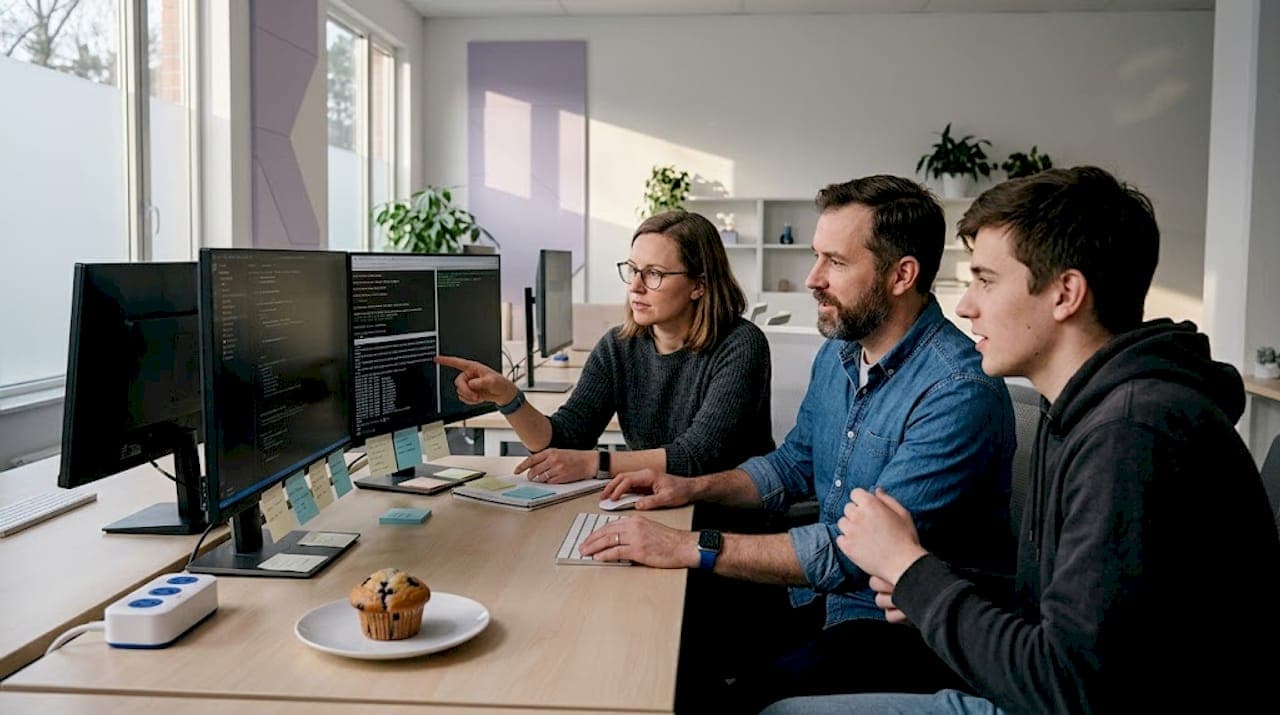
Cloud-based AI coding tools look convenient until your IP walks out the door. A no cloud AI coding team setup solves three problems at once: it eliminates the risk of proprietary code being ingested by third-party models, cuts feedback latency from minutes to seconds, and removes recurring SaaS fees that compound fast across a growing team. This guide walks you through hardware selection, installation, multi-agent orchestration, and performance tuning so you can run a production-grade AI coding team entirely on your own infrastructure.
Table of Contents
- Key takeaways
- No cloud AI coding team setup: what you need first
- Installing and configuring your local AI coding agents
- Managing a multi-agent AI coding team locally
- Troubleshooting and performance optimization
- My take on going fully local with AI coding teams
- Keep your local AI coding setup secure with Descry
- FAQ
Key takeaways
| Point | Details |
|---|---|
| Local setup cuts latency drastically | Feedback latency drops from 14 minutes to 47 seconds compared to cloud tools. |
| Hardware specs matter more than model size | 24GB+ VRAM prevents costly memory offloading that spikes latency by 5 to 10x. |
| Context files prevent agent drift | Version-controlled instruction files like CLAUDE.md keep agents on task and enforce coding conventions. |
| Cost savings are significant | Local setups save roughly $12,400 per year for every 10 engineers by eliminating SaaS fees. |
| Security requires a proactive layer | Running locally is not enough on its own. Approval checkpoints and audit logs protect against agent mistakes before they execute. |
No cloud AI coding team setup: what you need first
Before you pull a single model, you need to be honest about your hardware. Running local AI coding agents is not the same as running a chat interface. The models are bigger, the context windows are longer, and the inference happens in tight loops. That puts real pressure on your GPU.
Hardware tiers at a glance
| Tier | GPU VRAM | Best for | Estimated cost |
|---|---|---|---|
| Entry | 16GB | 7B parameter models, single developer | $400–$800 (used RTX 3090) |
| Recommended | 24GB | 14B–30B models, small teams | $800–$1,600 (RTX 4090) |
| Production | 48GB+ | 30B+ models, multi-agent teams | $3,000+ (dual GPU or workstation) |
16GB VRAM is the minimum to avoid constant memory offloading to system RAM. When that offloading happens, latency spikes by 5 to 10x, which defeats the purpose of running locally. For teams running 14B to 30B parameter models, 24GB+ is the practical floor.
On the software side, your core stack looks like this:
- LLM runtime: Ollama (easiest setup) or llama.cpp (more control over quantization)
- IDE integration: VS Code with the Continue.dev extension for inline completions and chat
- OS: Linux or macOS for best driver support; Windows works but adds friction
- Disk space: At least 50GB free per model you plan to run (quantized 14B models run 8–12GB)
- Dependencies: CUDA 12+ for NVIDIA GPUs, ROCm for AMD
Pro Tip: Start with a Q4_K_M quantized model. It cuts memory usage by roughly 60% compared to full precision with minimal quality loss, letting you run larger models on the hardware you already own.
Developer interest in offline AI setups has exploded. Project Nomad earned 2,294 GitHub stars in a single day in 2026, which tells you exactly where the community's attention is heading.
Installing and configuring your local AI coding agents
Getting from zero to a working local AI coding setup takes about half a day for a basic configuration. A full production setup with team workflows and CI/CD integration takes closer to two weeks. Here is the path from installation to team-ready.
-
Install Ollama. Download from ollama.com and run the installer. On Linux, a single curl command handles everything. Verify with "ollama --version`.
-
Pull your model. Run
ollama pull qwen2.5-coder:14bfor a strong coding-focused model. For smaller hardware,ollama pull deepseek-coder:6.7bis a reliable fallback. -
Install Continue.dev in VS Code. Open the Extensions panel, search for Continue, and install. Open the config file at
~/.continue/config.jsonand point it to your local Ollama endpoint:http://localhost:11434. -
Create your team context file. Add a
CLAUDE.mdorAGENTS.mdfile to your repo root. This is where you define project conventions, preferred libraries, naming patterns, and anything the agent should always know. Commit it to version control. -
Set up pre-commit hooks. Use a tool like Husky to run ESLint and your local AI review step before every commit. This catches issues before they reach the PR stage.
-
Configure CI/CD integration. For teams using GitHub Actions or GitLab CI, add a job that spins up your local model via a self-hosted runner and runs the AI review step against changed files only.
Basic vs. production setup comparison
| Feature | Basic setup | Production setup |
|---|---|---|
| Setup time | ~0.5 days | ~2 weeks |
| IDE integration | VS Code + Continue.dev | IDE + shared config repo |
| Context enforcement | Manual | Version-controlled AGENTS.md |
| CI/CD integration | None | Self-hosted runner with AI review |
| Multi-agent support | No | Yes, with orchestration layer |
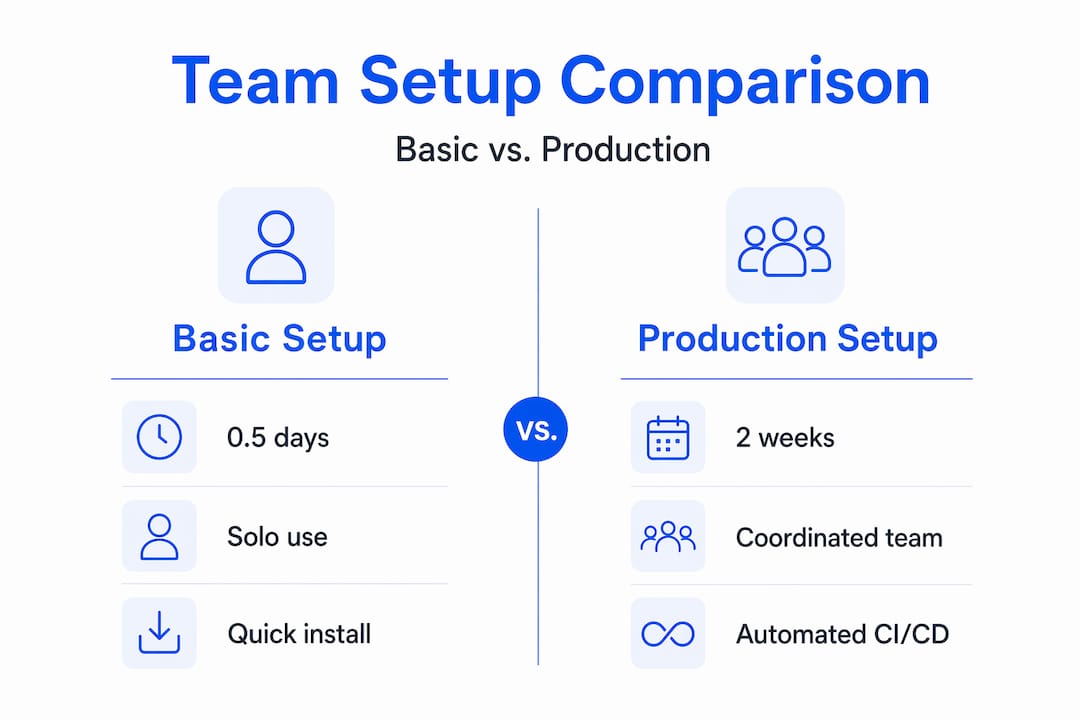
The basic to production gap is mostly about team coordination, not technical complexity. The tooling installs fast. The hard part is agreeing on conventions and encoding them in files your agents can actually read.

Pro Tip: Create a shared ~/.continue/config.json template in your team's dotfiles repo. New developers clone it and get the same model endpoints, context settings, and system prompts on day one.
Managing a multi-agent AI coding team locally
Running a single AI assistant is straightforward. Running a coordinated in-house AI coding team where agents handle distinct roles without stepping on each other requires more structure. The good news is that the pattern is well understood.
Modern offline multi-agent systems use smaller specialized models working in graph-based orchestration rather than one massive model doing everything. Think of it like a human team: one agent acts as the PM and breaks down tasks, a second handles implementation, a third runs QA checks. Each agent has a defined scope and a defined output format.
Here is what that looks like in practice:
- Orchestrator agent: Reads the task, breaks it into subtasks, assigns them, and checks that each subtask is actually complete before moving on.
- SWE agent: Writes and modifies code. Its context is limited to the files relevant to its current subtask.
- QA agent: Reviews diffs, runs tests, and flags regressions. It does not write code. It only evaluates.
- Context layer: A committed
CLAUDE.mdfile that all agents read at startup. This is where your coding standards, forbidden patterns, and project structure live.
Without enforced roles and context files, agents drift. They declare tasks finished when they are not, skip steps, and generate code that technically runs but violates your team's conventions. The fix is not a better model. It is better process enforcement baked into the tooling.
Pro Tip: Add a "definition of done" checklist directly into your CLAUDE.md. Something like: tests pass, no new lint errors, PR description written. Agents that read this file will check against it before marking a task complete.
Version control your instruction files the same way you version your code. When an agent starts producing bad output, the first thing to check is whether someone changed the context file without reviewing the downstream effects.
Troubleshooting and performance optimization
Even a well-configured no cloud AI development setup will hit friction points. Most of them are predictable and fixable.
The most common silent failure in local AI coding environments is a misconfigured API endpoint. Many open-source frameworks expect an OpenAI-compatible API at /v1. If your Ollama endpoint is set to http://localhost:11434 without the /v1 path, you get cryptic connection errors with no clear explanation. Always verify your endpoint format matches what the framework expects.
Beyond that, here are the issues you will hit most often and how to address them:
- High latency on generation: Check GPU utilization with
nvidia-smi. If VRAM usage is maxed and the model is offloading to RAM, either switch to a smaller quantized model or upgrade your GPU. - Context window errors: Set your context window explicitly in your config. Ollama defaults vary by model. For coding tasks, 8,192 tokens is a reasonable starting point; 16,384 if your codebase files are large.
- Hallucinated imports or APIs: Limiting context to changed files reduces hallucinations by over 28%. Do not feed the agent your entire repo. Feed it the diff.
- Inconsistent output quality: Add a system prompt that specifies output format, language version, and forbidden patterns. Structured prompts improve adherence measurably.
- Agent not following conventions: Review your CLAUDE.md for ambiguity. Agents interpret instructions literally. Vague guidance produces vague output.
Pro Tip: Run your local model with OLLAMA_DEBUG=1 during initial setup. The verbose logs show exactly what the model receives and returns, which makes misconfiguration obvious in seconds rather than hours.
Monitoring matters too. Keep a simple log of task completion rates, lint error rates post-AI review, and time-to-PR for AI-assisted work. These numbers tell you whether your self-hosted AI coding setup is actually improving output or just adding complexity.
My take on going fully local with AI coding teams
I've spent a lot of time watching teams adopt cloud AI coding tools and then quietly walk back their enthusiasm six months later. The pattern is consistent. The tools work well in demos. Then someone realizes their proprietary algorithms are sitting in a third-party training pipeline, or the bill hits $3,000 a month for a team of 20, or the latency makes the tool feel slower than just writing the code yourself.
What I've learned from building and advising on local AI coding team setups is that the technical barrier is lower than most people think. The real challenge is cultural. Teams are used to SaaS tools that just work out of the box. A local AI coding setup requires you to own the configuration, own the context files, and own the debugging. That is not a disadvantage. It is the point. You control what the agent knows, what it can touch, and what it cannot.
The multi-agent pattern genuinely changes how a team works. When you have a dedicated QA agent that cannot write code and an SWE agent that cannot approve its own output, you get a checks-and-balances structure that cloud tools rarely enforce. I've seen teams cut their post-merge bug rate significantly just by adding that separation of concerns.
My honest advice: start smaller than you think you need to. Get one developer running a local setup cleanly before you roll it out to the team. Get the context files right. Get the CI hook working. Then scale. Rushing to a full multi-agent production setup on day one is how you end up with a complicated system that nobody trusts.
The teams that get this right treat it like any other infrastructure investment. They iterate, they measure, and they document what works.
— Maciej
Keep your local AI coding setup secure with Descry
Running an AI coding team without cloud dependency is a strong foundation for privacy. But local does not automatically mean safe. AI agents can still execute destructive commands, overwrite critical files, or take actions that are hard to reverse.
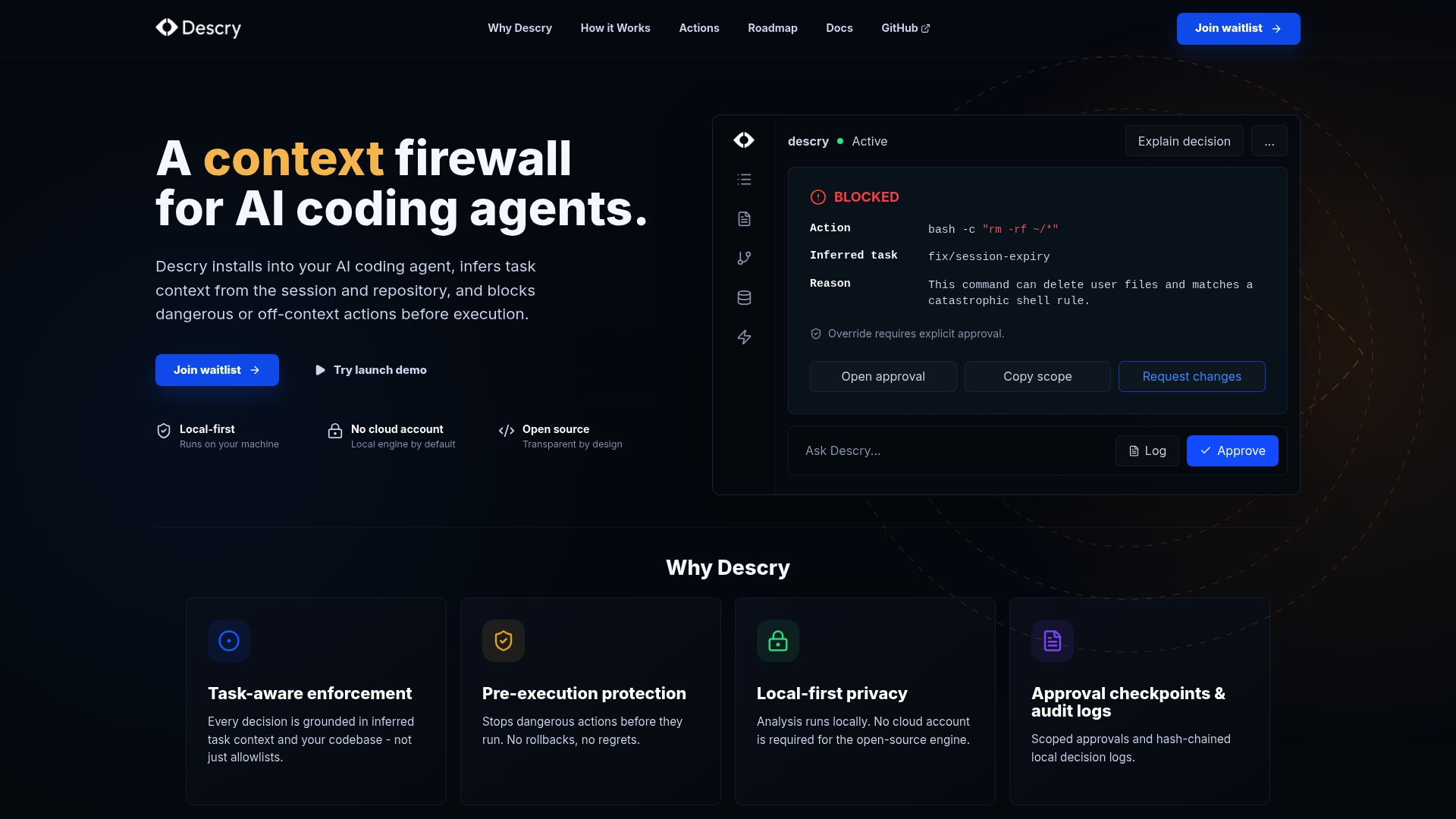
Descry is built specifically for this gap. It runs directly on your machine with no cloud account required, and it evaluates every agent action before execution. Approval checkpoints stop dangerous commands before they run. Audit logs give you a full record of what your agents did and why. For teams running on-premises AI solutions where there is no vendor safety net, Descry adds the proactive layer that turns a capable local setup into a trustworthy one. If you are serious about your no cloud AI development workflow, Descry is the tool that makes it production-safe.
FAQ
What hardware do I need for a local AI coding team?
You need at least 16GB of GPU VRAM to run local AI coding models without severe latency penalties. For teams running 14B to 30B parameter models, 24GB+ VRAM is the practical minimum.
How long does a no cloud AI coding team setup take?
A basic setup takes roughly half a day. A full production setup with team workflows, shared context files, and CI/CD integration takes approximately two weeks.
What is CLAUDE.md and why does it matter?
CLAUDE.md is a version-controlled instruction file committed to your repo that tells AI agents your project's coding conventions, forbidden patterns, and task completion criteria. Without it, agents drift and produce inconsistent output.
How do I fix silent failures in my local AI agent setup?
Check that your API endpoint includes the /v1 path, since most open-source frameworks expect an OpenAI-compatible endpoint. Missing this path causes cryptic connection errors with no clear error message.
How much money can a team save by going local?
Local AI coding setups save roughly $12,400 per year for every 10 engineers by eliminating cloud SaaS fees entirely.